Book a demo

Try “replan”, “SAFe”, “budget cuts” or “public sector”. Press / to search from any page.

  1. Home
  2. Initiatives
  3. Operating model redesign

Operating model redesign

The org chart is approved.Now design how decisions get made.

An operating model is a decision model: who decides what, on which evidence, and how often. Inside it, aangine is the decision layer where demand, capacity, budget and strategy meet in one live plan, so the new rhythm runs on facts, not slides.

Explainer · 1:02Operating model redesign: who decides on Monday?More on aangine TV

The challenge

New boxes and lines, the same old decisions

Most operating model redesigns spend months on structures, roles and governance forums. Then Monday comes, and the first real decision arrives: a new initiative is needed next quarter, and someone asks whether it can be done. Who answers, with what data, and how fast? If the answer still depends on weeks of spreadsheet reconciliation, the new model will behave exactly like the old one.

The plan that matters sits between the strategy deck and the delivery backlog. It says which initiatives get funded, which teams deliver them, in which quarter, and what gets pushed when something new arrives. In many organizations it lives in a spreadsheet kept by one dedicated person in the PMO, and it is out of date the day after each steering committee.

The operating rhythm is where this shows. When priorities move, affected teams find out weeks later. Leadership cannot see what a “yes” costs before saying it. Quarterly reviews start by reconciling several versions of the truth, and the rework begins when the meeting ends. Whatever the org chart says, the rhythm becomes the bottleneck.


“…any possible changes can be made directly at the meeting with our business stakeholders.”

Gartner Peer Insights — 5-Star Review
Project Portfolio Manager, Telecommunications

How aangine helps

The decision layer of your operating model

Above the PPM, work-management and delivery tools the new model keeps, aangine imports what they hold, plans and replans, then pushes the approved plan back. Both ways.

One plan between strategy and delivery

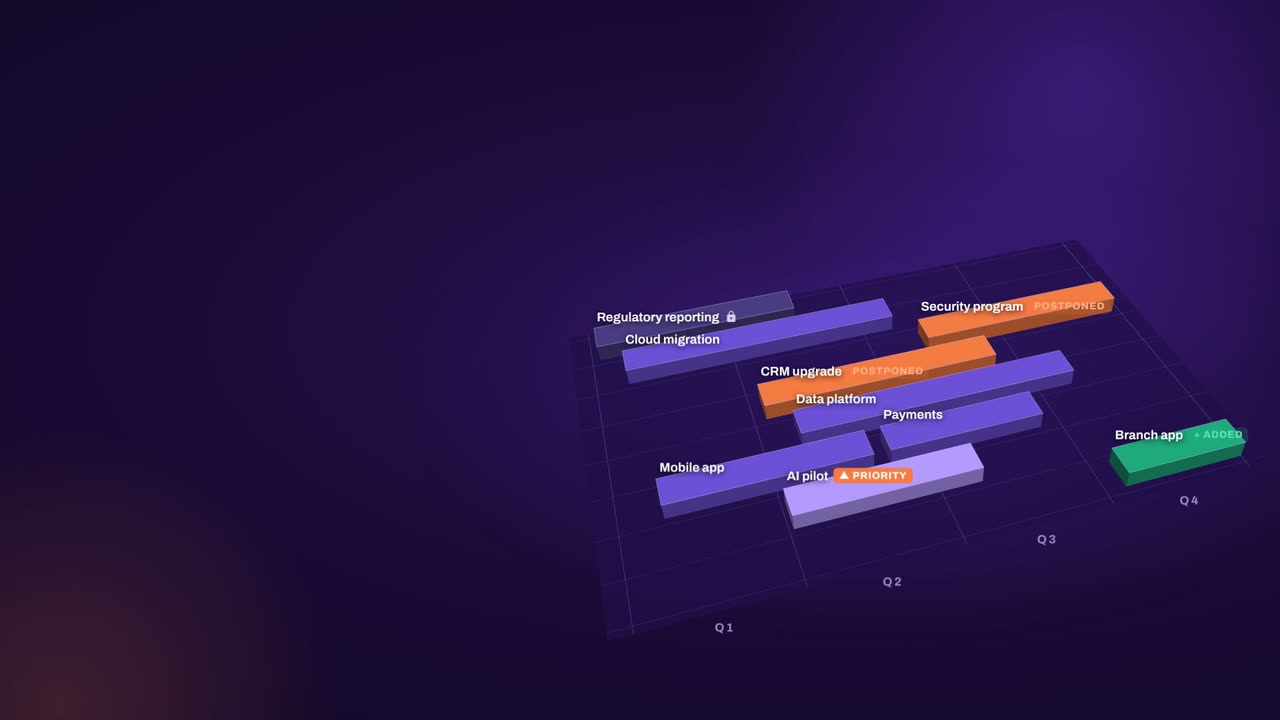
Demand, capacity, budget and strategy meet in one live plan: initiatives and work packages, teams, roles and skills, CAPEX and OPEX, objectives and priorities. Every forum in the new model looks at the same plan, so reviews start from shared facts instead of competing versions.

See what a “yes” costs

When new demand lands, add it and replan in one click. Algorithms rebalance the plan around capacity, dependencies, budgets and priorities. Locked and fixed-date work never moves, deadlines hold, and the plan shows which team or budget ran out and what moved to make room.

Keep the tools teams deliver with

A new operating model does not need a new tool for everything. Your PPM, Jira, Azure DevOps and the spreadsheets each hold part of the plan. The decision layer brings them together when a decision is needed and sends approved plans back. No rip & replace.

A rhythm that runs on facts

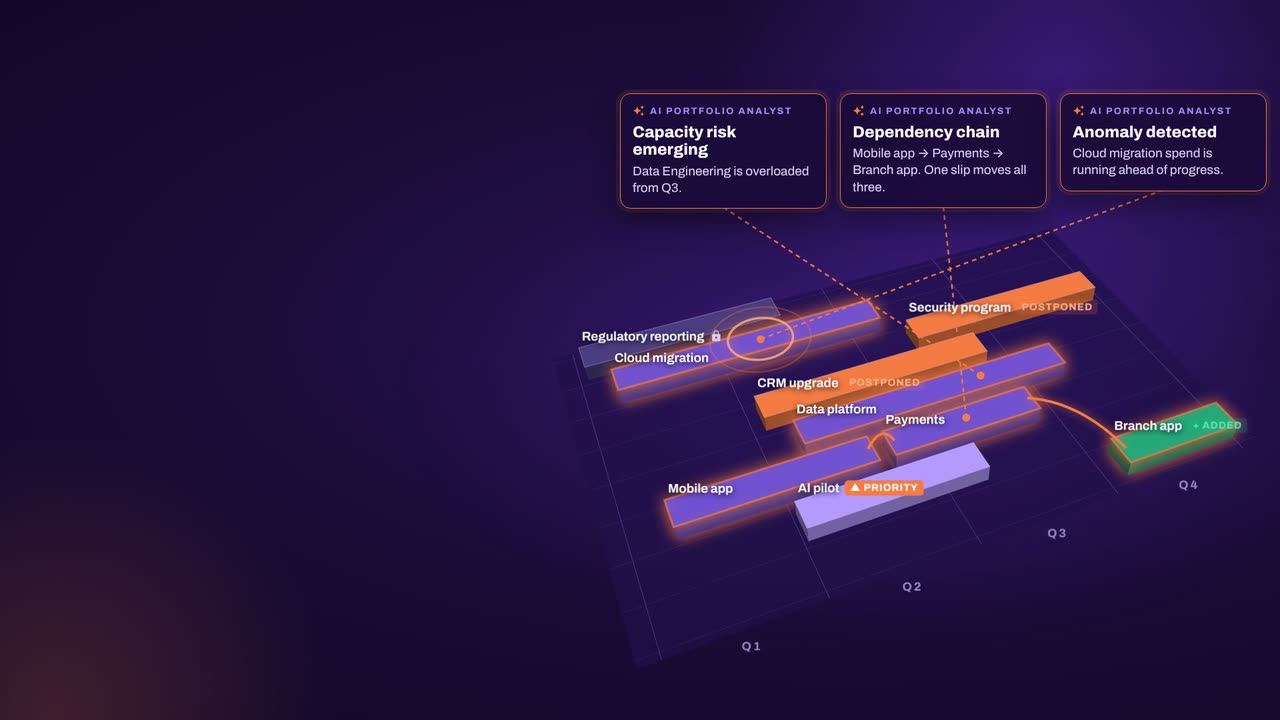
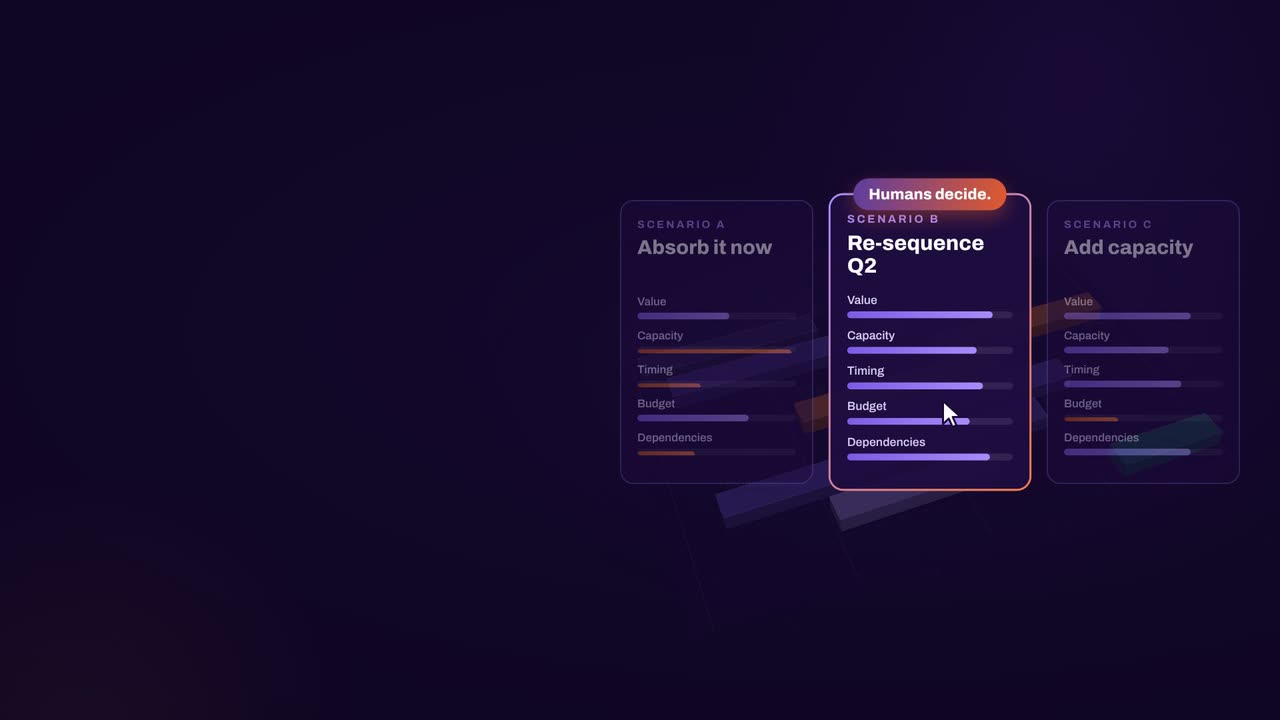
Replan monthly, quarterly and whenever change hits. Compare scenarios side by side in the meeting, save baselines and track plan against actual. The AI Portfolio Analyst highlights risks and anomalies worth discussing first, and the people who own the decision make the call.

In practice

The first quarter of a new operating model

The weeks after an operating model goes live decide whether it sticks. A practical sequence for the transformation office and the PMO.

  1. Load what you have

    Bring in every initiative, every team’s real capacity including the day job, and every budget line from the tools and spreadsheets you already use. Estimates are fine.

  2. Run the first review live

    Hold the first quarterly review from one live plan. Bring the change requests into it and look at their impact together, while the people who decide are in the room.

  3. Make replanning routine

    Replan monthly and whenever change hits. Save baselines, compare scenarios and push approved plans back to the delivery tools, so the plan is current when each review ends.

  4. Let data quality follow

    Data quality is an outcome of this rhythm, not a prerequisite. Once people see their numbers used in decisions, they keep them right, and the rhythm becomes a habit.

How aangine works

Algorithms calculate and optimize; AI discovers and highlights; humans decide.

aangine is the decision layer above the tools you already use. No rip & replace: it imports your plans, replans them in one click and pushes the approved plan back.

Algorithmscalculate and optimize
AIdiscovers and highlights
Humansdecide

The result: faster, clearer decisions when it matters most.

100xfaster portfolio decisions
9%budget savings
30%shorter product cycles
22%more strategic outcomes
80+%projects delivered on time

What our customers report in their case studies. Read the customer results

Book a demo

Bring the new org design.See how Monday’s decisions get made.

Book a demo and bring your operating model: the new structure, the governance forums and the next decision waiting for them. We’ll show how it runs on one live plan.

Every Plan Meets Changeaangine in a minute · 58 seconds · sound on · captions

Transcript

Your plan is perfect. For about five minutes. Then change crashes the party! The CEO wants a new project… That big milestone? Two months late. Your best team? Fighting fires. And priorities? Flipped! Cue days of rework, and yet another final-final deck. Now watch what aangine does. One click. Done! The whole plan just rebalanced. Next time the CEO asks, can we do it? You’ll know. In seconds. Algorithms calculate and optimize. AI discovers and highlights. Humans decide. The result: faster, clearer decisions when it matters most. aangine is the decision layer. Keep your tools. Even your spreadsheets! No rip and replace! A hundred times faster portfolio decisions. Nine percent budget savings. Five stars on Gartner Peer Insights. Change will come. Be ready to decide. Scan the code. See it live! aangine.

Book your assessment