

Operating model redesign
Give the new operating model a decision layer: one live plan, one-click replanning and an operating rhythm that runs on facts.
Read more
By initiative
Reorganizations, mergers, AI programs, ERP migrations and budget seasons all land on the same portfolio. Pick the initiative you are running to see where aangine helps, then book a demo to plan it with your own data.
Give the new operating model a decision layer: one live plan, one-click replanning and an operating rhythm that runs on facts.
Re-map the portfolio onto the new structure, plan real capacity and test a draft org design against the work before announcing it.
See how much change each department absorbs alongside its day job, and sequence initiatives to what people can take on.
One live plan across every workstream, so the roadmap absorbs change and steering committees decide instead of reconciling.
Connect new priorities to the portfolio, see which objectives are underfunded and what the new strategy displaces.
Run planning season as scenarios: load all demand, show what it takes, rank by value and agree a baseline built to change.
See what you inherited, test new priorities against real capacity and present a costed plan in the first 100 days.
Test budget reductions as scenarios and see what each does to value, capacity and strategy before anything is announced.
Replan around the capacity you really have when roles are frozen, and build a costed case for exceptions.
Import both portfolios as they are, see combined demand against combined capacity and decide what to merge, stop or sequence.
Plan separation work beside business as usual, model capacity after the split and see what each side can still commit to.
Plan AI pilots as one portfolio, see which can scale with the people you have, and keep your AI and data yours.
Plan ERP, core-system and cloud programs with the rest of the portfolio: lock the go-live, replan the rest, protect what can’t pause.
Give leadership a portfolio view above Jira, Azure DevOps and Rally, with team roadmaps instead of task lists.
A decision layer on top of your PPM: scenarios and replanning in the room, approved plans pushed back. No rip & replace.
Lock mandatory work, replan the rest around it and show leadership what each new regulation displaces, with evidence you’re on track.
Model a sudden shift in demand, costs or supply as scenarios, see the ripple across the portfolio and decide while options remain.
How aangine works
aangine is the decision layer above the tools you already use. No rip & replace: it imports your plans, replans them in one click and pushes the approved plan back.
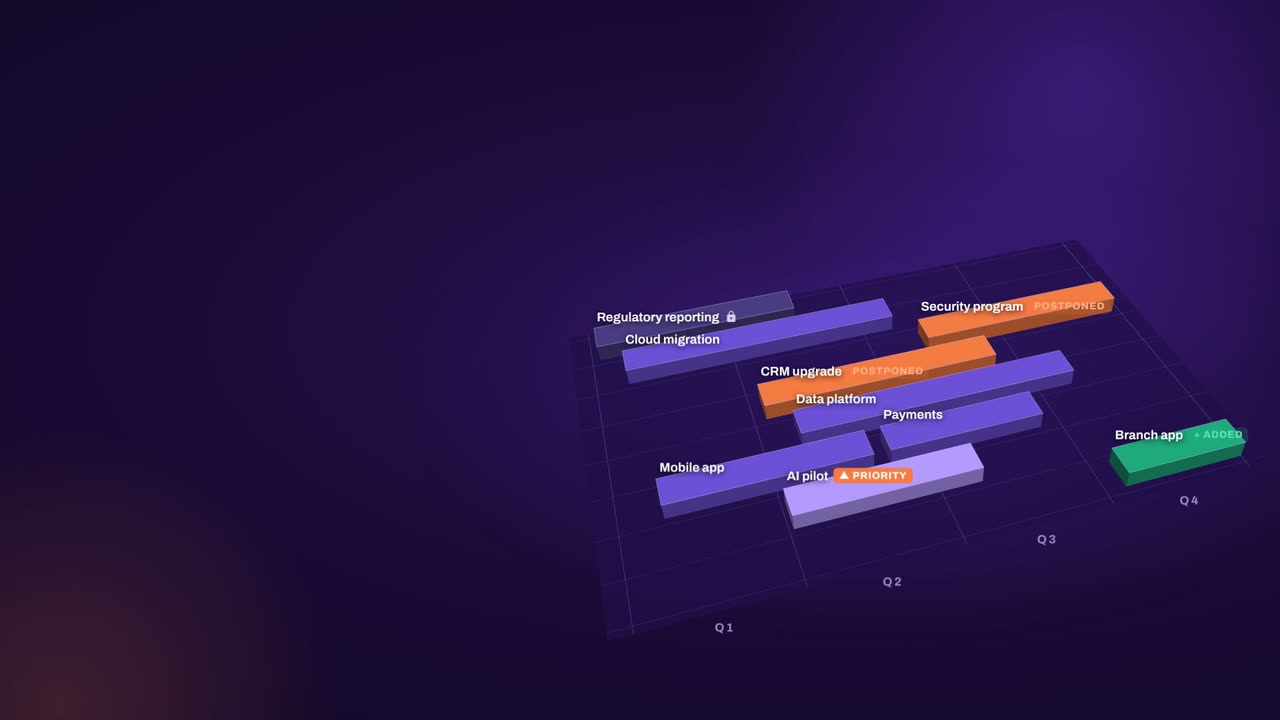
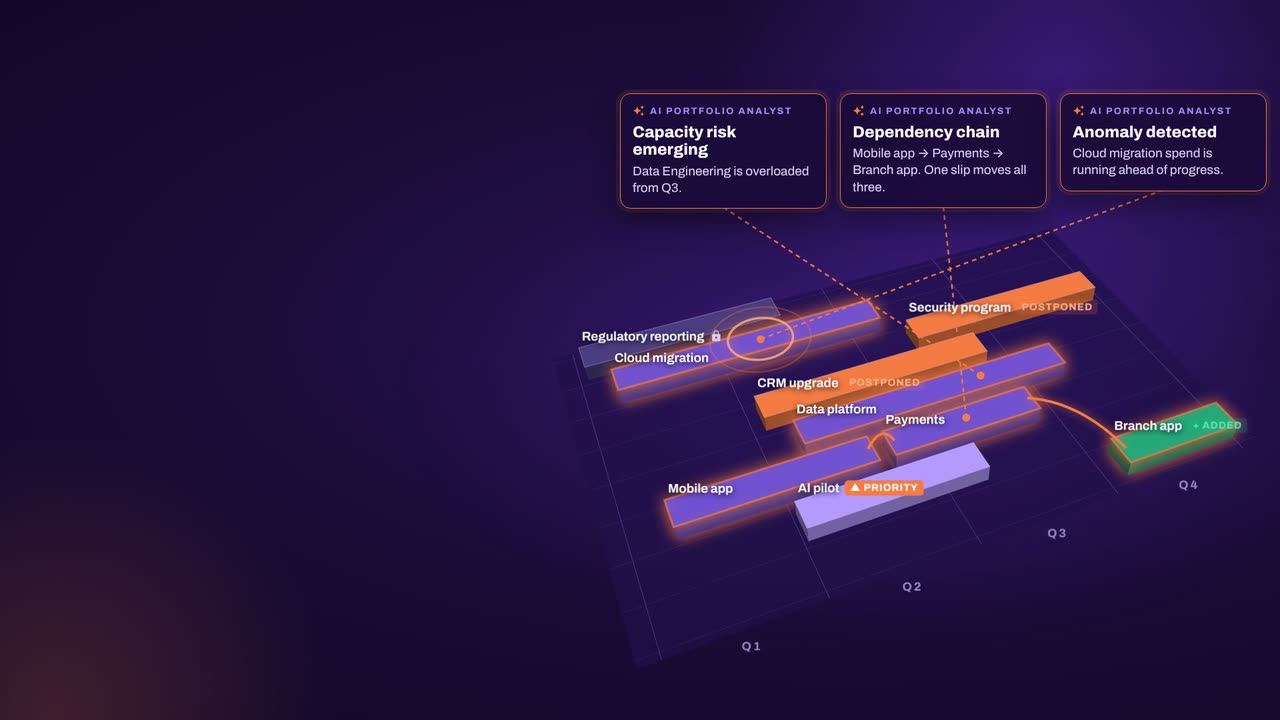
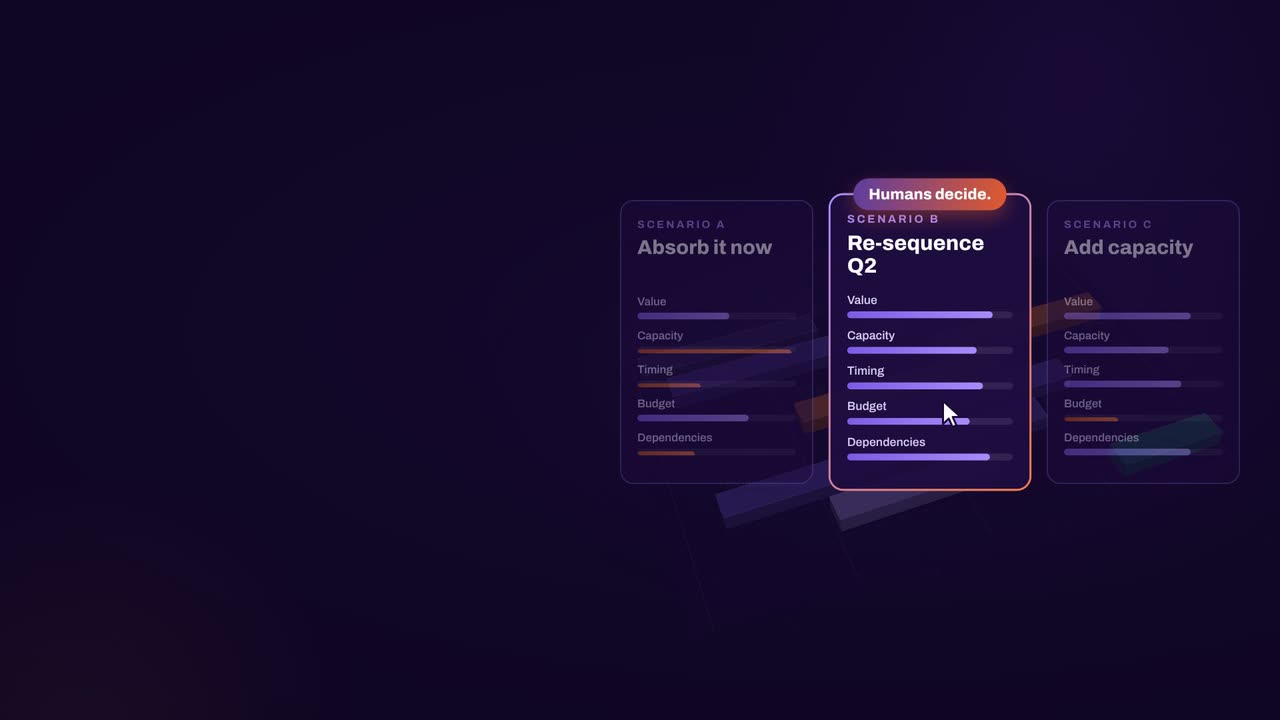
The result: faster, clearer decisions when it matters most.
What our customers report in their case studies. Read the customer results
Book a demo
Book a demo and bring the initiative on your desk: the new org design, the integration plan or the list of programs competing for the same people. We will plan it live in aangine.