Book a demo

Try “replan”, “SAFe”, “budget cuts” or “public sector”. Press / to search from any page.

  1. Home
  2. Initiatives
  3. PMO reset & PPM rollout

PMO reset & PPM rollout

The PPM is live.Executives still ask for slides.

PPM tools are good at managing execution. Executives need a layer for decisions on top of the PPM you just rolled out: one that plans across it and the spreadsheets beside it, then pushes approved plans back.

Explainer · 1:02We just bought a PPM. Why would we need aangine?More on aangine TV

The challenge

Good delivery data. Decisions still made on slides.

A PPM rollout is a serious investment, and the PMO usually comes out of it with a new mandate. The tool handles projects, tasks, timesheets and status well; it is where delivery is recorded. Yet executives rarely log in. They ask for slides, built from data that sits partly in the PPM and partly in spreadsheets, and the investment stops short of the leadership table.

Many PMOs spend most of the week on reporting: collecting status, chasing updates, building the steering committee deck. By the time the deck is ready, it describes last month. Real planning data still lives in Excel, Jira and elsewhere, because that is where people can try out scenarios. “Not all our data is in the PPM” is a common admission, usually offered as an apology.

It needs no apology. It is how planning works when the PPM is built for execution and decisions need room for options. The PMOs that earn a seat at the leadership table bring exactly that: here is what this change does to the portfolio, here are the ways to absorb it, here is what each one costs.


“…any possible changes can be made directly at the meeting with our business stakeholders.”

Gartner Peer Insights — 5-Star Review
Project Portfolio Manager, Telecommunications

How aangine helps

Keep the PPM. Give it a decision layer.

No rip & replace. The PPM stays where delivery happens; aangine complements it with the layer where leaders decide, and plans move between the two in both directions.

Works with the PPM you chose

Import projects, capacity and budgets from Planview, Broadcom Clarity, OnePlan, OpenText PPM, ServiceNow SPM, Oracle Primavera or MS Project, plus Jira, Azure DevOps, Rally and Excel. Plan and replan across all of it, then push approved plans back. Both ways.

From reporting to options

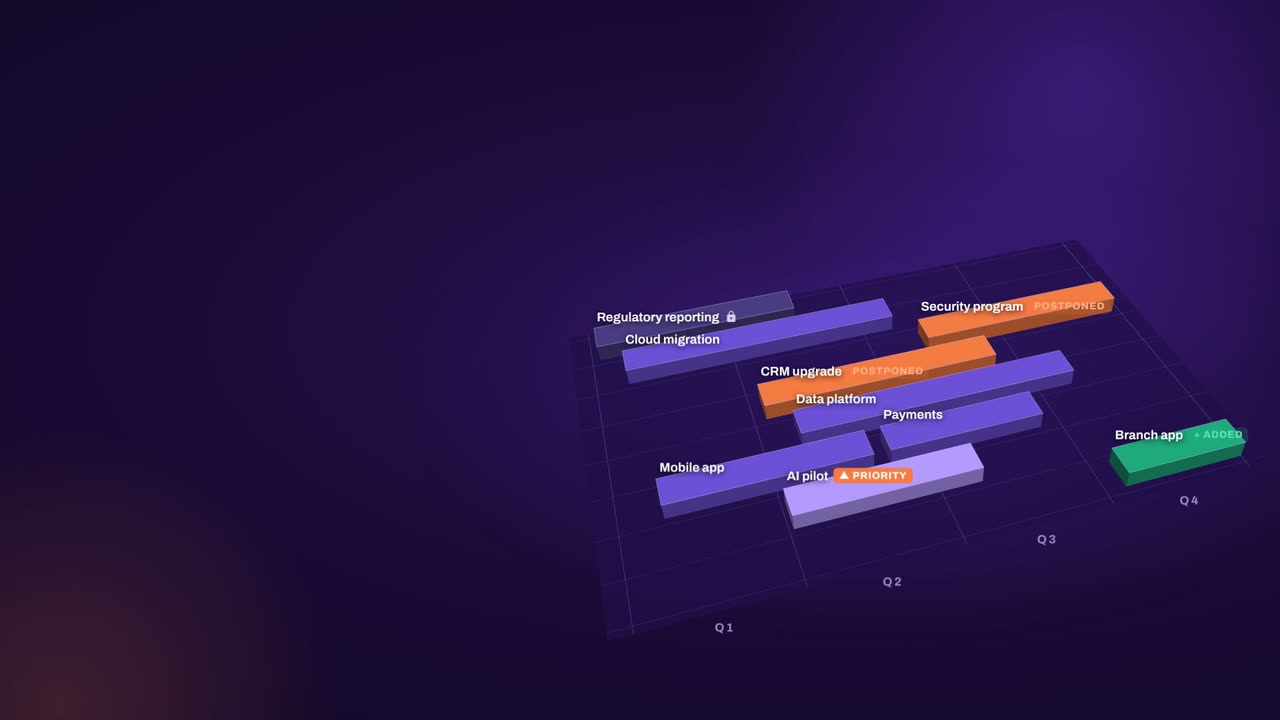
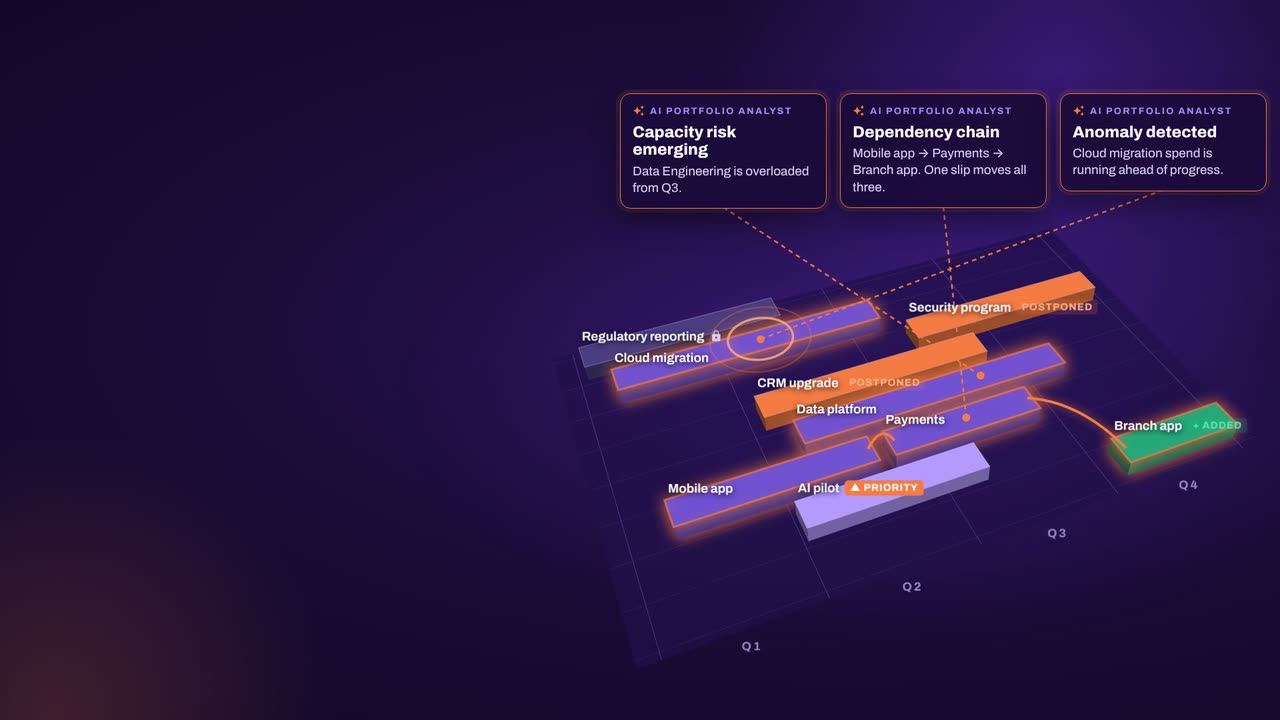
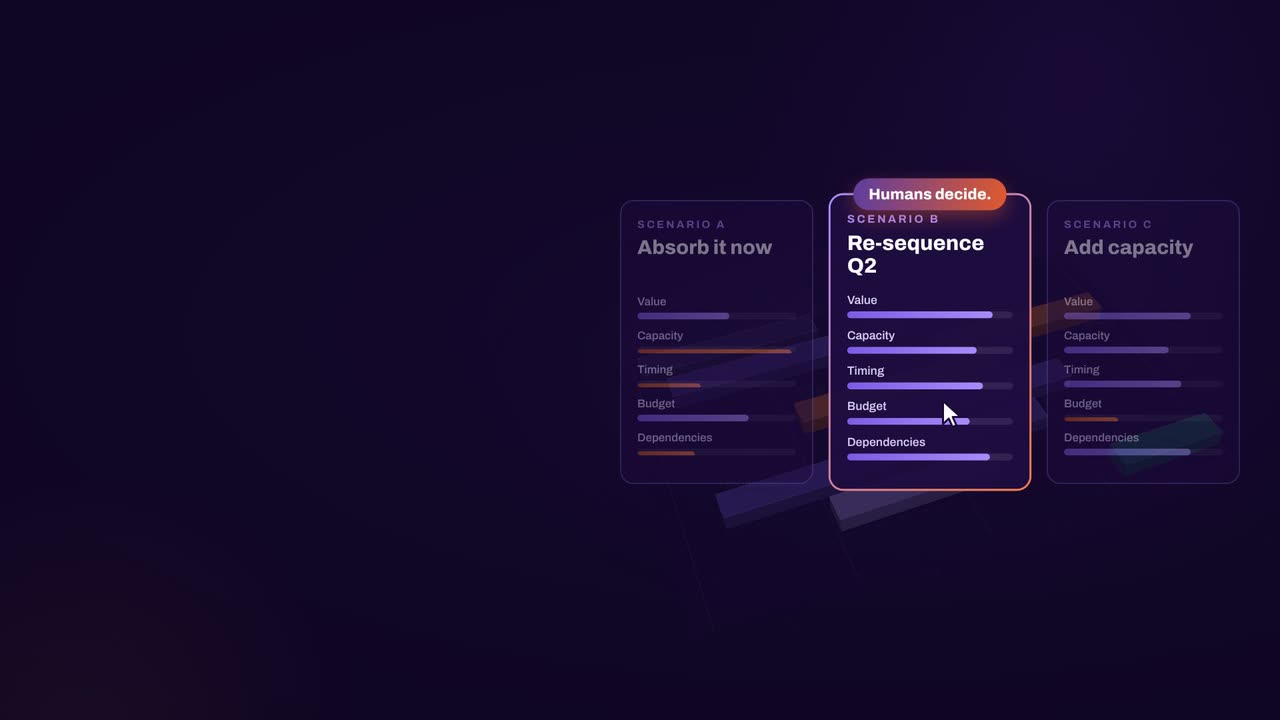
Replan in one click when something changes. Algorithms rebalance around capacity, dependencies, budgets and priorities, keep locked work in place and show which team or budget ran out. Compare scenarios side by side, so the PMO brings options and their costs instead of last month’s status.

Baselines and plan vs actual

Set a baseline for every approved plan and track it against actuals coming back from the PPM. Deadlines and dependencies are checked every time the plan changes, so the PMO replans early instead of explaining slippage late.

More value from the PPM

Approved plans flow into the PPM, where delivery happens, and actuals flow back for the next replan. Once people see their data used in real decisions, they tend to keep it complete, and more business units start feeding the PPM.

In practice

Resetting the PMO around decisions

A PMO reset needs neither a second tool rollout nor a data cleanup first. Start with what you have; its quality improves once it is used for decisions.

  1. Connect what exists

    Import from the PPM and from the spreadsheets and agile tools that sit beside it. Gaps and rough estimates are fine at this stage.

  2. Replan the next change

    Take the next real change, a new mandate or a shift in capacity, and replan in one click. See what moved, what no longer fits and why.

  3. Bring options to steering

    Compare scenarios side by side in the meeting, on cost, capacity, value and timing. Leaders decide on the spot instead of waiting for the next deck.

  4. Push back and baseline

    Send the approved plan back into the PPM, set a baseline and track actuals. With each cycle, the data in the PPM becomes more complete.

How aangine works

Algorithms calculate and optimize; AI discovers and highlights; humans decide.

aangine is the decision layer above the tools you already use. No rip & replace: it imports your plans, replans them in one click and pushes the approved plan back.

Algorithmscalculate and optimize
AIdiscovers and highlights
Humansdecide

The result: faster, clearer decisions when it matters most.

100xfaster portfolio decisions
9%budget savings
30%shorter product cycles
22%more strategic outcomes
80+%projects delivered on time

What our customers report in their case studies. Read the customer results

Book a demo

Keep the PPM.Retire the steering deck.

Book a demo and bring your PPM landscape, the spreadsheets that sit beside it and your latest steering committee deck. We will talk through how your PMO can bring options instead of reports.

Every Plan Meets Changeaangine in a minute · 58 seconds · sound on · captions

Transcript

Your plan is perfect. For about five minutes. Then change crashes the party! The CEO wants a new project… That big milestone? Two months late. Your best team? Fighting fires. And priorities? Flipped! Cue days of rework, and yet another final-final deck. Now watch what aangine does. One click. Done! The whole plan just rebalanced. Next time the CEO asks, can we do it? You’ll know. In seconds. Algorithms calculate and optimize. AI discovers and highlights. Humans decide. The result: faster, clearer decisions when it matters most. aangine is the decision layer. Keep your tools. Even your spreadsheets! No rip and replace! A hundred times faster portfolio decisions. Nine percent budget savings. Five stars on Gartner Peer Insights. Change will come. Be ready to decide. Scan the code. See it live! aangine.

Book your assessment