Book a demo

Try “replan”, “SAFe”, “budget cuts” or “public sector”. Press / to search from any page.

  1. Home
  2. Roles
  3. Head of PMO

For the Head of PMO

From reporting on the portfolioto deciding it in the room.

Your PPM holds the work. With aangine, the PMO gets a place to decide: any what-if answered on the spot with one-click replanning, options side by side, and approved plans pushed back to the delivery tools.

Book a demo

Why reviews stall

The deck describes last month. The question is about next quarter.

For many PMO leads, the monthly portfolio review starts days earlier: chasing updates, reconciling numbers, building slides. By the time the deck is presented, it describes last month. Then leadership asks the first real question, “what if we move this?”, and the PMO goes back to the spreadsheets. The team spends its time on formatting instead of on options.

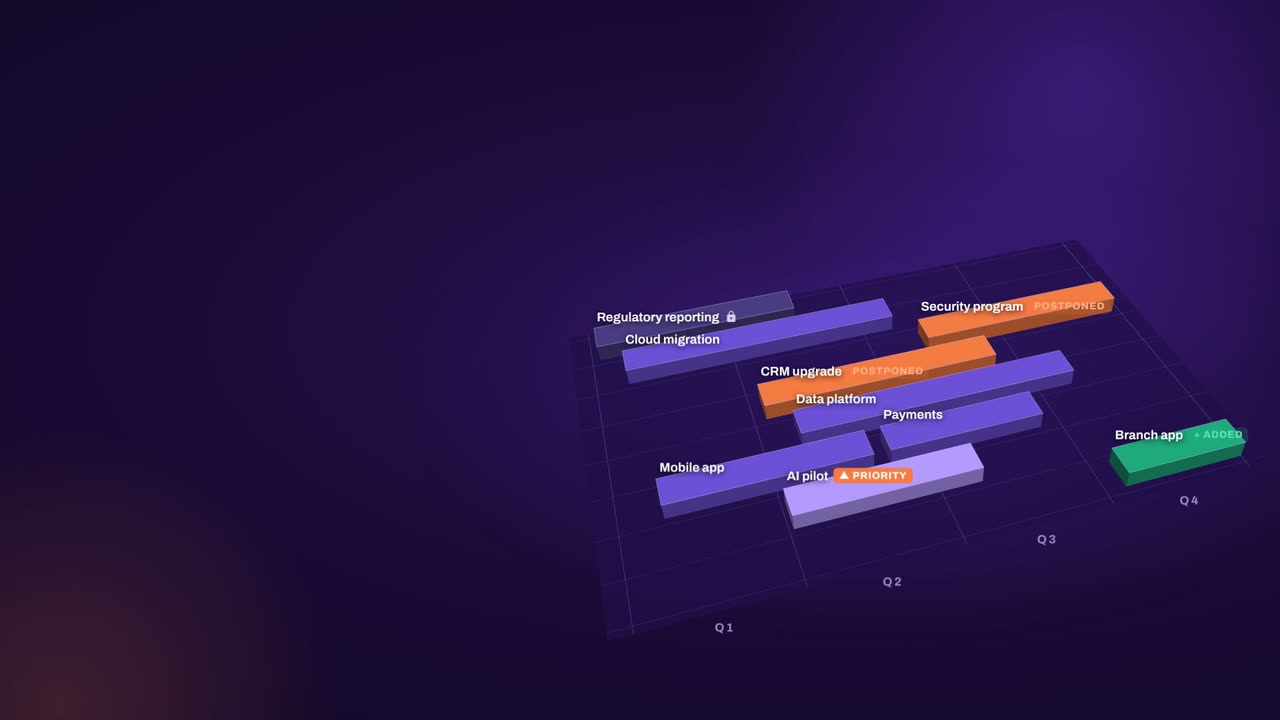
The hardest meeting is usually the escalation. The CEO wants a project delivered sooner. The request is real, the teams are full, and the PMO is expected to make it work without upsetting anyone else. Without a way to calculate the impact in the room, the answer turns into a promise, and the slip appears somewhere else later.

A PPM rollout helps: projects, status and timesheets in one place. But when the steering committee asks for a scenario, the PMO still exports to Excel. That isn’t a failure of the PPM. Execution tools are built to run the work, not to compare what-ifs across the whole portfolio. Planning at that level needs a decision layer.


“…any possible changes can be made directly at the meeting with our business stakeholders.”

Gartner Peer Insights — 5-Star Review
Project Portfolio Manager, Telecommunications

How aangine helps

A decision layer on top of your PPM

The PPM stays the system of record. On top of it, aangine imports projects, capacity and budgets, plans and replans, then pushes the approved plan back. No rip & replace.

Review from the live plan

Actuals come in from the PPM, the plan is compared with its baseline, and any what-if is answered during the review itself. No overnight deck, no reconciling versions. The PMO arrives with options instead of slides and spends the meeting on decisions.

One-click replan for escalations

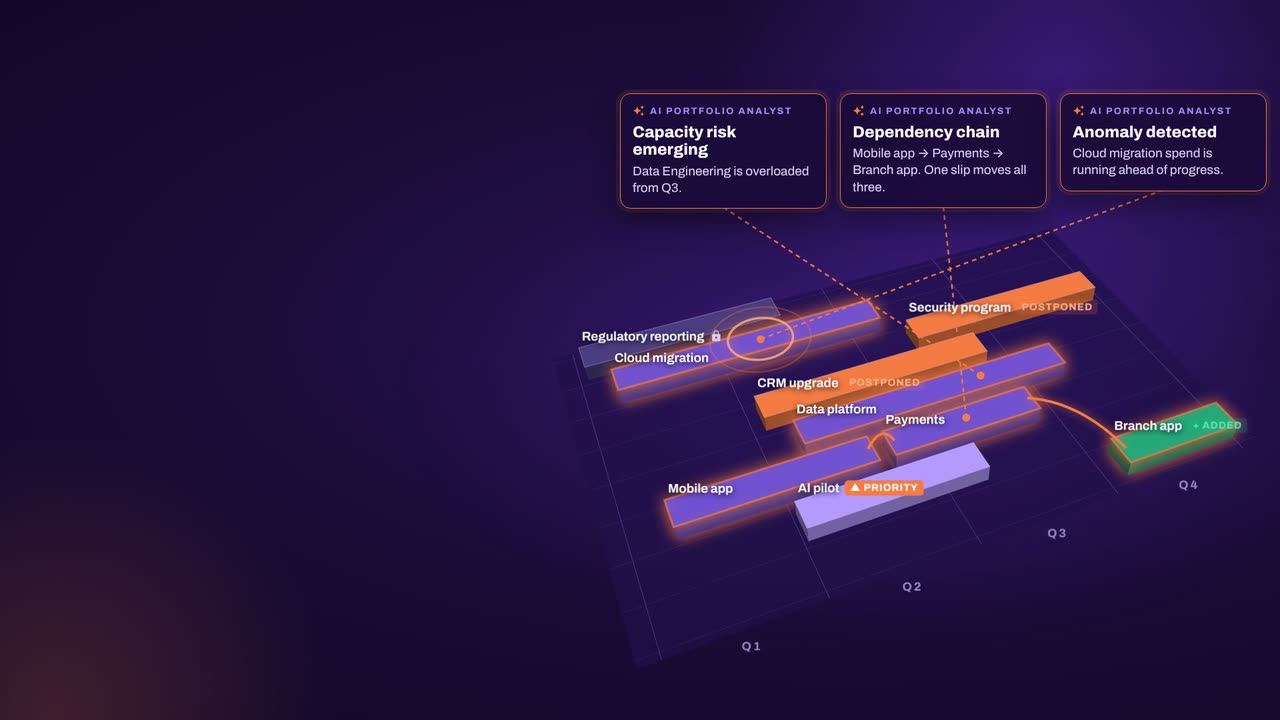
A new request goes into the plan and the algorithms rebalance the portfolio around capacity, dependencies, budgets and priorities. Overloads are cleared, locked work never moves, and you go back to the executive with what a yes takes and which team or budget ran out.

Scenarios side by side

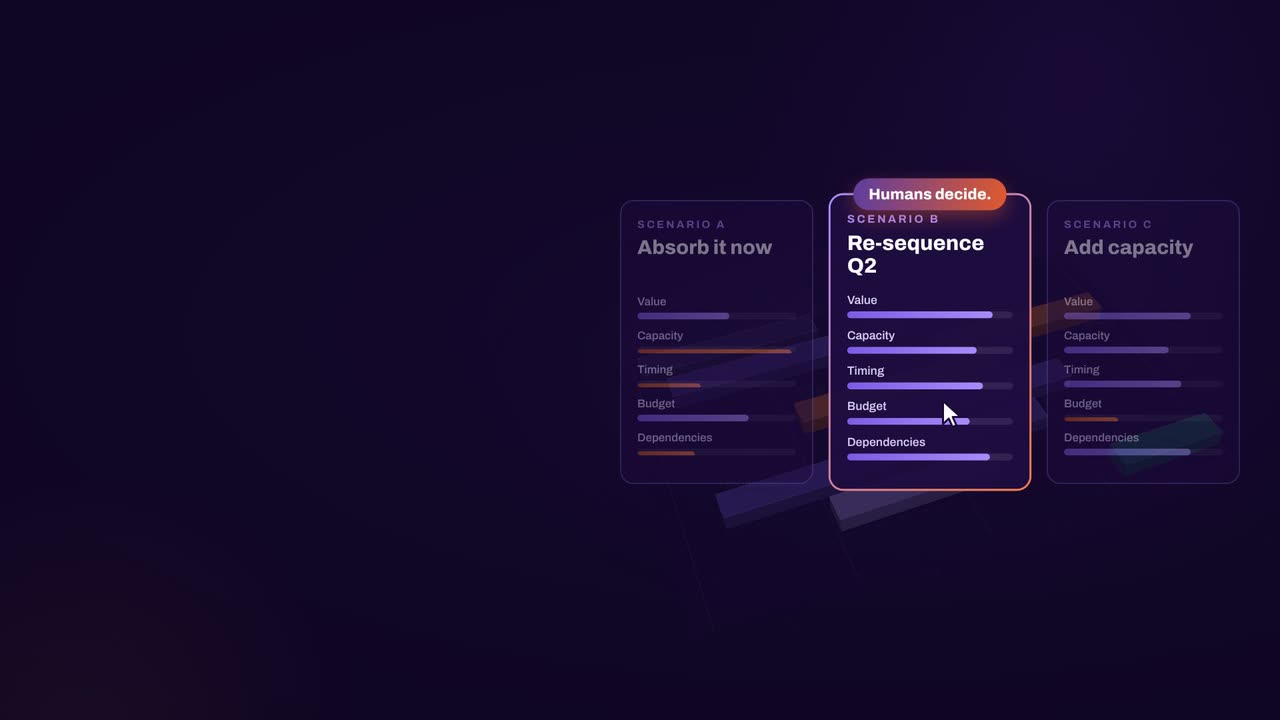
Put two or three options next to each other and compare them on cost, capacity, value and timing. The leadership team chooses in the meeting, and nobody leaves without knowing whether the request is doable and what it needs.

Baselines and plan vs actual

Save every agreed plan as a baseline and track plan against actual from the delivery tools. The AI Portfolio Analyst highlights risks, anomalies and overloaded teams, and writes summaries the PMO can share straight after the meeting.

In practice

Quarterly planning as a working session

Quarterly planning often runs for weeks of intake, estimates, negotiation and a final deck. It can be a single working session instead.

  1. Bring in new demand

    Load new requests into the plan with estimates. Data quality is an outcome of planning, not a prerequisite, so start with the data you have.

  2. Update real capacity

    Refresh capacity by team and role, including the day job and run work, so the plan reflects what people can actually take on.

  3. Replan and compare

    Replan in one click, see what doesn’t fit and why, then compare two or three scenarios with the leadership team on cost, capacity, value and timing.

  4. Baseline and push back

    Save the agreed plan as a baseline and push it back to the PPM and delivery tools. The algorithms do the calculation; the PMO runs the conversation.

How aangine works

Algorithms calculate and optimize; AI discovers and highlights; humans decide.

aangine is the decision layer above the tools you already use. No rip & replace: it imports your plans, replans them in one click and pushes the approved plan back.

Algorithmscalculate and optimize
AIdiscovers and highlights
Humansdecide

The result: faster, clearer decisions when it matters most.

100xfaster portfolio decisions
9%budget savings
30%shorter product cycles
22%more strategic outcomes
80+%projects delivered on time

What our customers report in their case studies. Read the customer results

Book a demo

Bring your hardest meeting.Leave with a decision.

Book a demo and bring your next portfolio review or escalation: the PPM you run, the teams that are already full and the request on the table. We’ll show it as a working session.

Every Plan Meets Changeaangine in a minute · 58 seconds · sound on · captions

Transcript

Your plan is perfect. For about five minutes. Then change crashes the party! The CEO wants a new project… That big milestone? Two months late. Your best team? Fighting fires. And priorities? Flipped! Cue days of rework, and yet another final-final deck. Now watch what aangine does. One click. Done! The whole plan just rebalanced. Next time the CEO asks, can we do it? You’ll know. In seconds. Algorithms calculate and optimize. AI discovers and highlights. Humans decide. The result: faster, clearer decisions when it matters most. aangine is the decision layer. Keep your tools. Even your spreadsheets! No rip and replace! A hundred times faster portfolio decisions. Nine percent budget savings. Five stars on Gartner Peer Insights. Change will come. Be ready to decide. Scan the code. See it live! aangine.

Book your assessment