

Mandatory work, protected
Mark commitments as mandatory or locked and they stay put. One click replans the rest and shows what moved and why, with budget lines, CAPEX and OPEX and labor cost rates in view.
Public sector · France
For ministries, central administrations and state operators, each new priority has to find its place within the envelope. With aangine, leaders see what the envelope delivers, keep mandatory commitments protected and compare options before the finance bill is final.
The situation
Every budget envelope holds many decisions inside the plan. Costs evolve, mandatory work continues and new priorities still arrive, so every ministry faces the same questions: which commitments must stay, which projects deliver the most value for their cost, and what each appropriation funds, team by team.
Between presentation and adoption, the finance bill evolves. Appropriations shift between missions and programs, one measure is replaced by another, a target is reallocated. For the administrations that will deliver the budget, each change lands as a planning question with a short deadline, and a plan rebuilt by hand can be out of date before it circulates.
Organizational change adds a further layer. When public bodies are regrouped, the organization chart changes on day one; the portfolio does not. Two project lists, two sets of priorities and two ways of counting capacity have to become one plan that the combined body can stand behind, and quickly.
How aangine helps
Above the PPM and finance tools your administration already runs, aangine is the decision layer: data comes in, the plan is rebalanced, and the approved version goes back to your tools.
Mark commitments as mandatory or locked and they stay put. One click replans the rest and shows what moved and why, with budget lines, CAPEX and OPEX and labor cost rates in view.
Keep a baseline for the bill as presented and model each significant amendment as a scenario. Compare them side by side: projects in and out, capacity, budget and impact by directorate, answered in the room.
Use your own AI, hosted on-premises or in the cloud. Only IDs are sent to the model, never project, person or department names, and every chart is built by aangine’s algorithms from real data. People decide.
Begin with what each body already holds. A project type and a total effort per project give a credible first combined plan, and the data sharpens with each planning cycle. Overlapping projects and overloaded teams show up early.
In practice
A practical routine for a secretariat general while the finance bill is examined, from presentation to adoption.
Set a baseline from the finance bill as presented, with missions, programs, budget lines and the teams that deliver them.
Turn each meaningful change into a scenario on the same portfolio, rather than rebuilding the plan, the slides and the note each time.
Put scenarios side by side on cost, capacity, value and timing. The AI Portfolio Analyst highlights risks and ranks recommendations; people decide.
When the final budget is adopted, choose the closest scenario, adjust it and push the approved plan back to the tools your teams use.
How aangine works
aangine is the decision layer above the tools you already use. No rip & replace: it imports your plans, replans them in one click and pushes the approved plan back.
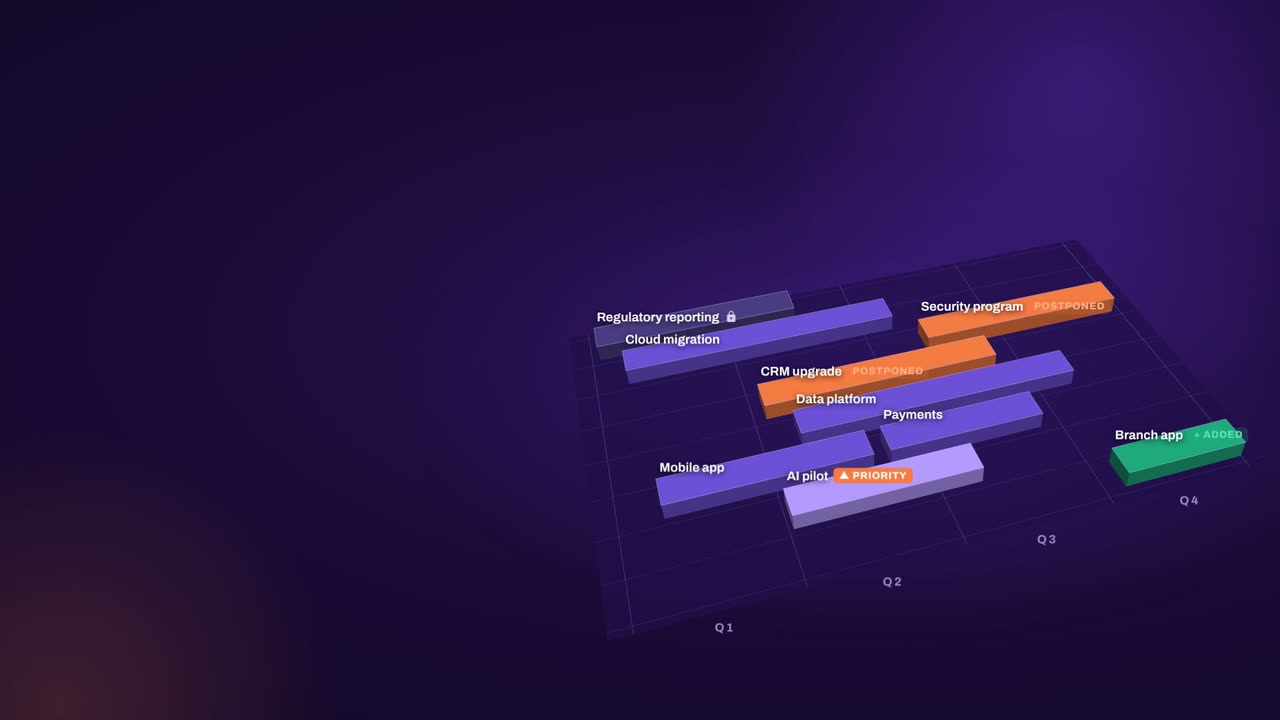
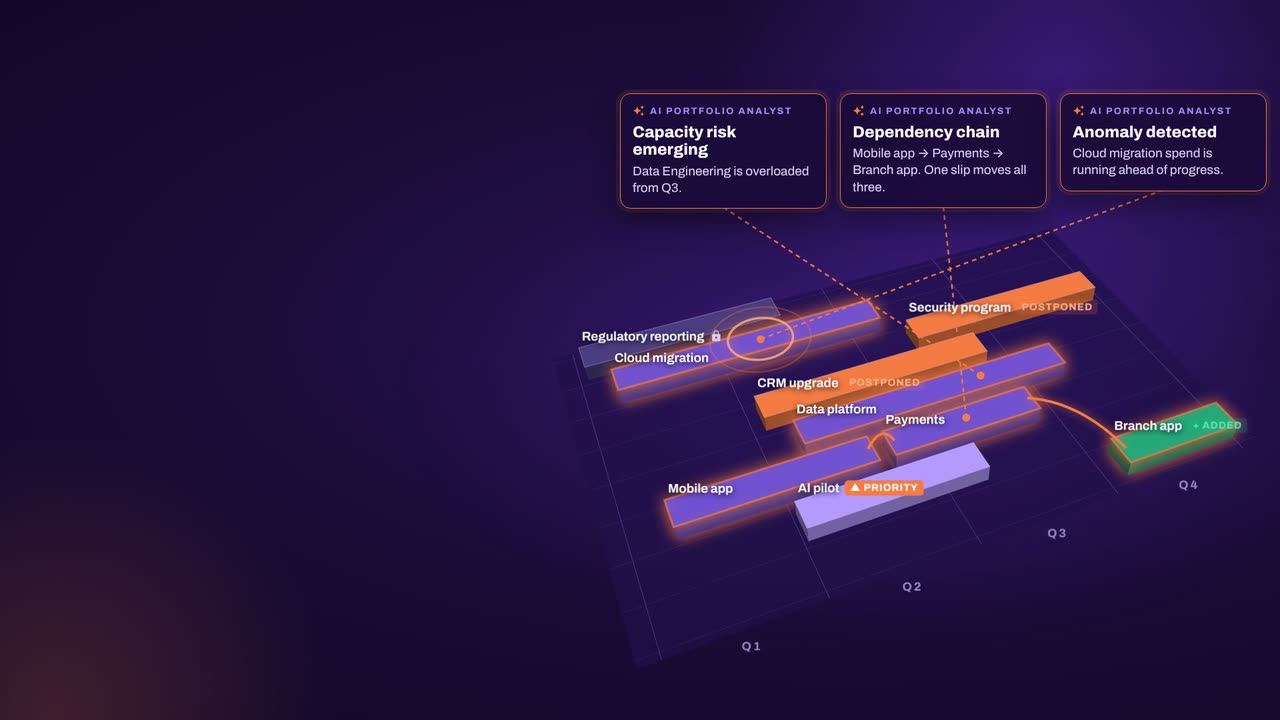
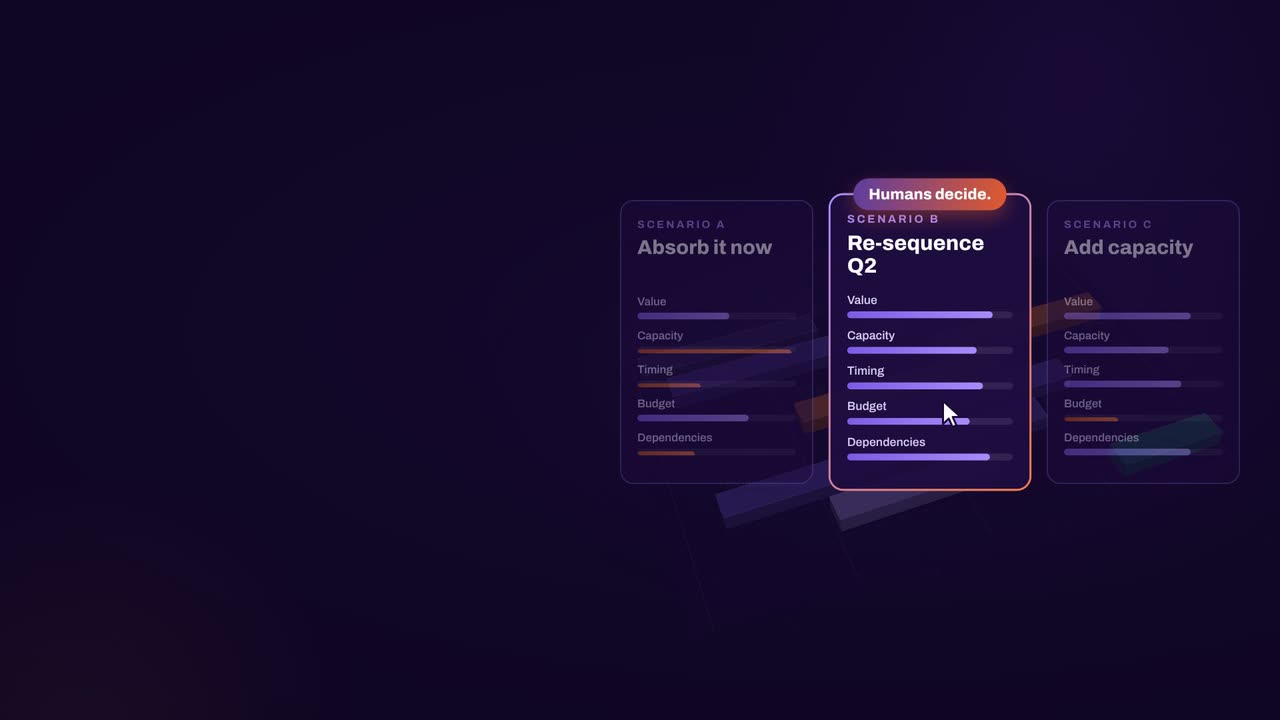
The result: faster, clearer decisions when it matters most.
Keep exploring
Book a demo
Book a demo to talk through your ministry’s or operator’s portfolio: the mandatory commitments, the appropriations you plan against and the scenarios you want ready before the final budget.