Book a demo

Try “replan”, “SAFe”, “budget cuts” or “public sector”. Press / to search from any page.

  1. Home
  2. Public sector
  3. United Kingdom

Public sector · United Kingdom

Turn spending settlementsinto choices you can explain

For UK departments and arm’s-length bodies, one live plan shows what fits within each settlement, what a new commitment displaces and what it costs, in the meeting rather than weeks later.

Book a demo

The situation

The settlement is set. The plan behind it is the hard part.

Multi-year spending settlements give departments a firm envelope to plan within. How each department delivers its priorities within it is its own choice. Plans built in spreadsheets tend to show the totals but not the work behind them: which teams each project draws on, which dependencies are affected and what a revised envelope means for the change portfolio.

Fiscal events add to it. Most do not change everything; they change something: a new priority, an adjusted envelope, a commitment that needs capacity next quarter. The question in the following week is always the same: what does this mean for the portfolio? Too often the answer waits while plans and slides are rebuilt around assumptions that may move again.

Major projects and long-term infrastructure programs raise the stakes. Projects depend on one another, delivery depends on skills, and skills depend on recruitment and training, so one change travels. Digital teams see the same pattern, with AI pilots, legacy replacement and live services drawing on the same people. Senior responsible owners need early sight across projects, not only within them.


How aangine helps

One live plan for boards, finance and portfolio offices

A decision layer above the PPM and delivery tools you already have, such as Planview, Oracle Primavera, MS Project or Excel. It imports from them, replans and pushes the approved plan back. No rip & replace.

Trade-offs made visible

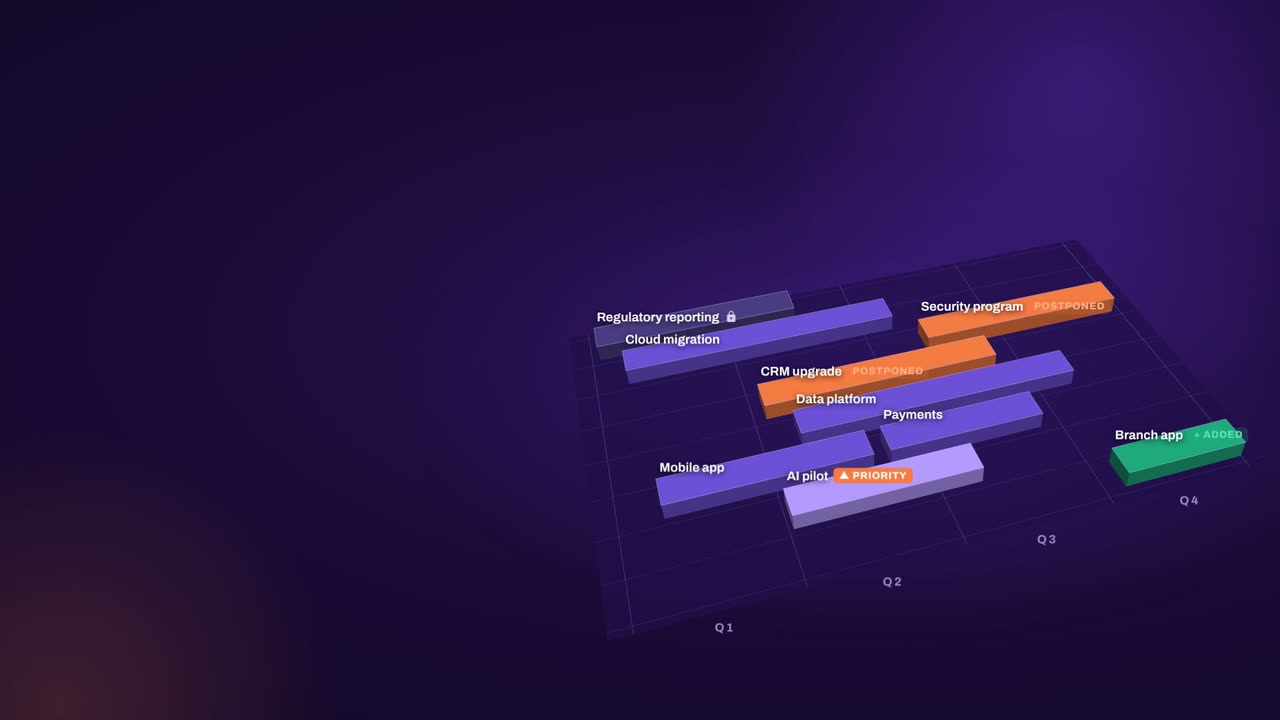
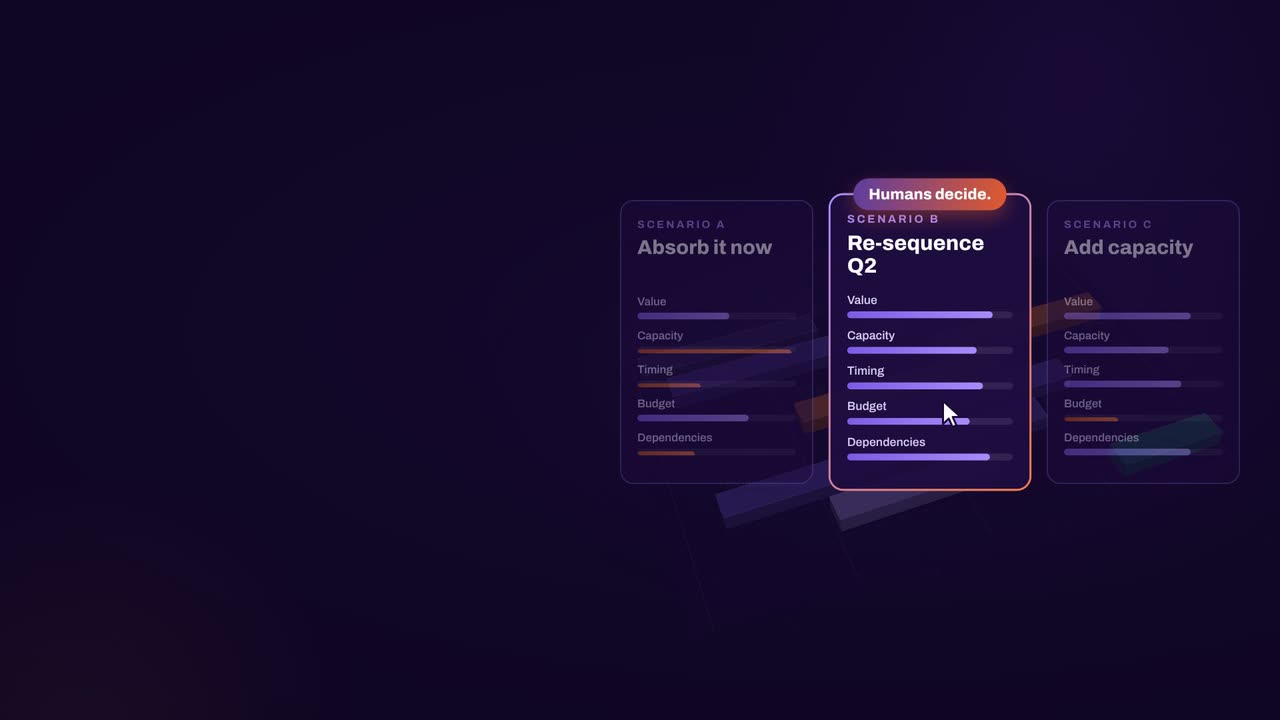
Every project and program sits in one plan, with capacity by team and budget lines for resource and capital spending. Committed work is locked. The replan works around priorities and shows what moved, and boards compare scenarios side by side, seeing the trade-off as well as the total.

All digital demand in one place

Bring demand from every directorate into one plan: AI pilots, legacy replacement and live services, against the capacity digital teams really have. The answer to “what fits?” stays current from one board to the next: to deliver this, we need that.

The critical chain in view

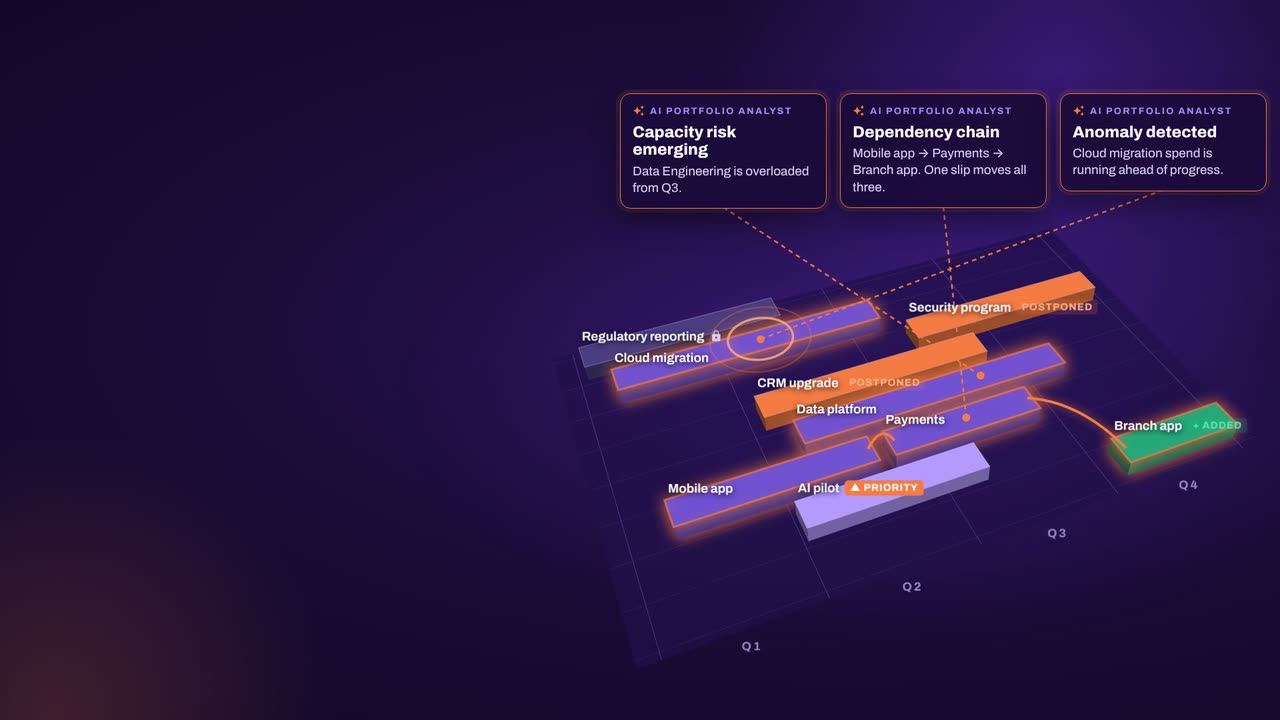
Portfolio Journey sets out the whole portfolio over the timeline: the AI Portfolio Analyst flags the critical dependency chain and teams heading for overload, and every figure comes from your own data. Replans never break a dependency or deadline, and the plan explains which team or budget ran out. Baselines and plan vs actual track progress over time.

AI that ranks, people who decide

The AI Portfolio Analyst highlights risks and anomalies, writes summaries and ranks recommendations by severity. Bring your own AI, on-premises or cloud; only IDs are sent to the model, never project, person or department names. Security: SOC 2 Type 2, ISO 27001 and ISO 27701.

In practice

A faster rhythm around fiscal events

A practical sequence a portfolio office can repeat at every fiscal event or spending decision, starting with the data it already has.

  1. Before the announcement

    Load the portfolio from existing tools and spreadsheets, estimates included. Build two or three scenarios for the likely changes, with mandatory and fixed-date work locked.

  2. On the day

    Adjust the scenario that matches what was announced. One click rebalances the plan around capacity, dependencies, budgets and priorities, and shows what moved.

  3. The week after

    Take a replanned portfolio to the board, showing what moved, what changed and what it costs. Compare the options side by side and decide in the meeting.

  4. Through the year

    Save the approved plan as a baseline, push it back to delivery tools and track plan vs actual, so the next change starts from an up-to-date picture.

How aangine works

Algorithms calculate and optimize; AI discovers and highlights; humans decide.

aangine is the decision layer above the tools you already use. No rip & replace: it imports your plans, replans them in one click and pushes the approved plan back.

Algorithmscalculate and optimize
AIdiscovers and highlights
Humansdecide

The result: faster, clearer decisions when it matters most.

Book a demo

Priorities will keep changing.The rework doesn’t have to.

Book a demo to talk through your department’s priorities, the major projects you support and the capacity behind them.

Every Plan Meets Changeaangine in a minute · 58 seconds · sound on · captions

Transcript

Your plan is perfect. For about five minutes. Then change crashes the party! The CEO wants a new project… That big milestone? Two months late. Your best team? Fighting fires. And priorities? Flipped! Cue days of rework, and yet another final-final deck. Now watch what aangine does. One click. Done! The whole plan just rebalanced. Next time the CEO asks, can we do it? You’ll know. In seconds. Algorithms calculate and optimize. AI discovers and highlights. Humans decide. The result: faster, clearer decisions when it matters most. aangine is the decision layer. Keep your tools. Even your spreadsheets! No rip and replace! A hundred times faster portfolio decisions. Nine percent budget savings. Five stars on Gartner Peer Insights. Change will come. Be ready to decide. Scan the code. See it live! aangine.

Book your assessment